Fablab
In a Fab Lab, you can learn a variety of skills and concepts related to digital fabrication and making. Some of the common things you can learn include: Design Skills: You can learn how to use computer-aided design (CAD) software to create 2D and 3D designs for fabrication. Digital Fabrication Techniques: You can learn how to operate and utilize equipment such as 3D printers, laser cutters, CNC machines, vinyl cutters, and more to turn digital designs into physical objects. Prototyping: Fab Labs are great places to learn how to rapidly prototype ideas, allowing you to quickly iterate and refine your designs. Electronics: Many Fab Labs offer resources for learning about basic and advanced electronics, including soldering, circuit design, and programming microcontrollers.
Module 1
Web development
Web development encompasses various aspects such as front-end development, back-end development, and full-stack development. It involves creating websites or web applications using languages like HTML, CSS, and JavaScript, along with frameworks and libraries like React, Angular, or Vue.js. Web developers are responsible for designing, building, and maintaining the functionality and appearance of websites to ensure a positive user experience.
Student Entry form
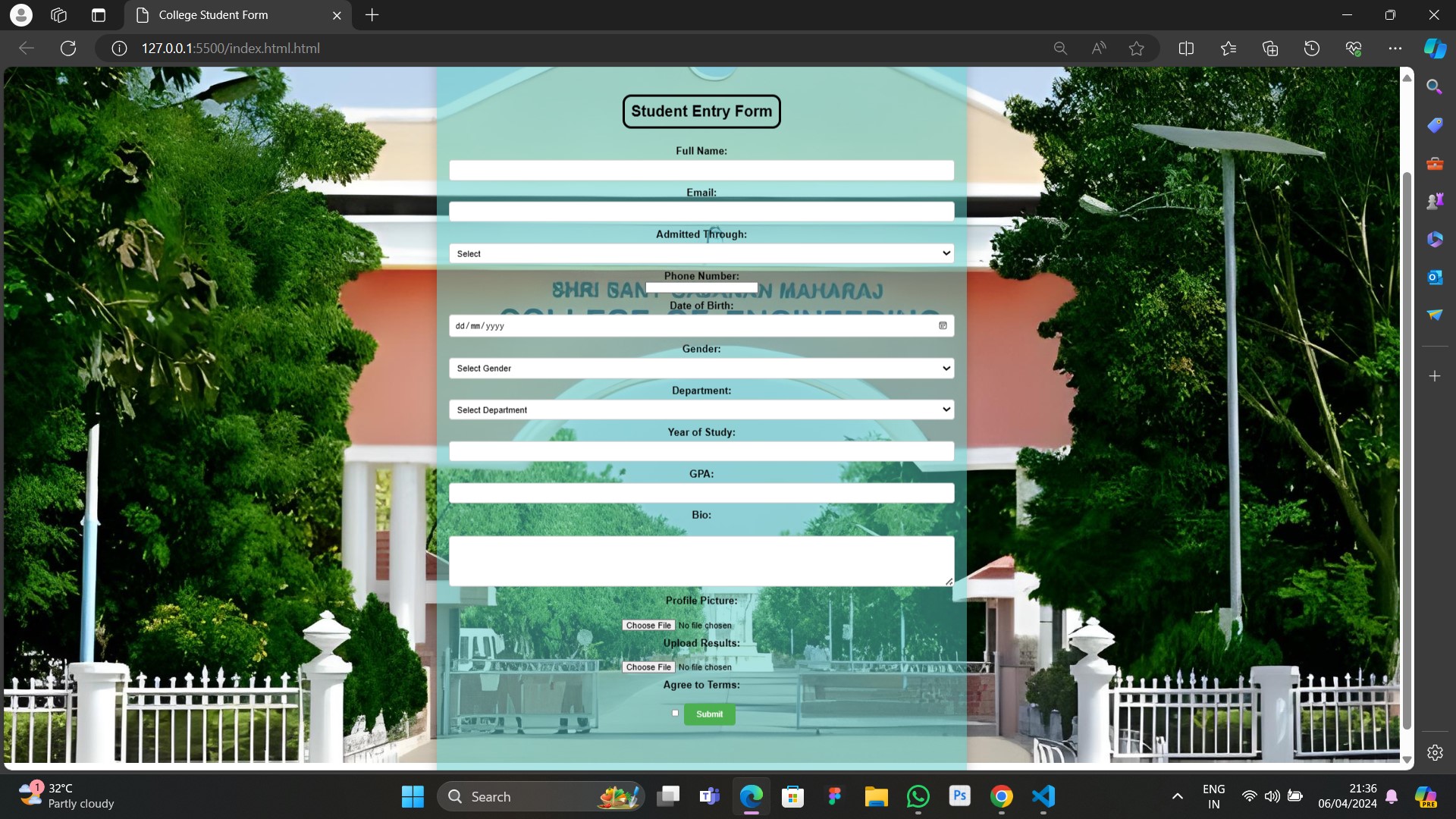
To create a student entry form using HTML and CSS, you would typically start by structuring the form in HTML using appropriate form elements such as input, select, textarea, and label for each field like Full Name, Email, Admitted Through, etc. Then, you would style the form elements using CSS to make it visually appealing and user-friendly. This involves setting the layout, colors, fonts, borders, and animations as desired. You might use CSS techniques like flexbox or grid for layout, gradients or solid colors for backgrounds, and various animations or transitions to enhance the user experience. Additionally, you could add validation rules using HTML attributes like `required` or JavaScript for more complex validation logic. Overall, the process involves combining HTML to structure the form and CSS to style and enhance its appearance and functionality
Resume
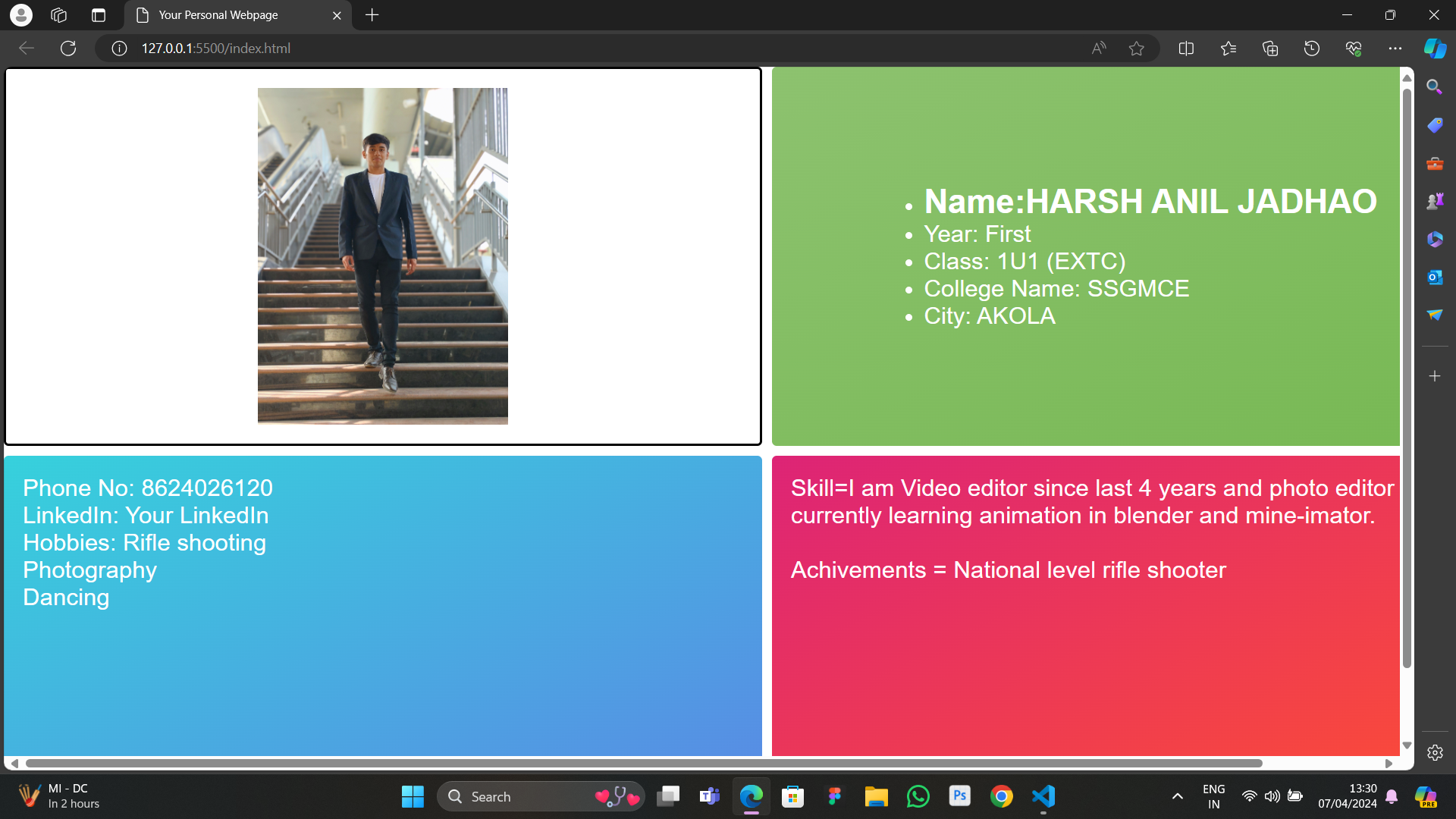
Creating an online resume using HTML and CSS typically involves structuring the content of your resume using HTML elements like div, section, h1, p, ul, and li` to represent different sections such as personal information, education, work experience, skills, projects, etc. Each section can be styled using CSS to define the layout, fonts, colors, and other visual aspects. You would use CSS to create a visually appealing design that represents your personal brand effectively. CSS can be utilized to adjust the layout, spacing, typography, and overall presentation of your resume. Additionally, you may incorporate CSS media queries to ensure that your resume looks good on different devices and screen sizes, making it responsive. Once the HTML structure and CSS styling are in place, you can deploy your online resume by hosting it on a web server or using a website building platform to showcase your skills and experiences to potential employers or clients..
Buttons
Creating and Aligning Buttons in HTML and CSS Buttons are essential elements in web development for prompting user interaction. HTML provides the structure, while CSS allows for styling and alignment customization. In this guide, we'll cover how to create buttons and align them using HTML and CSS To create buttons in HTML, we use the button element.
World Clock
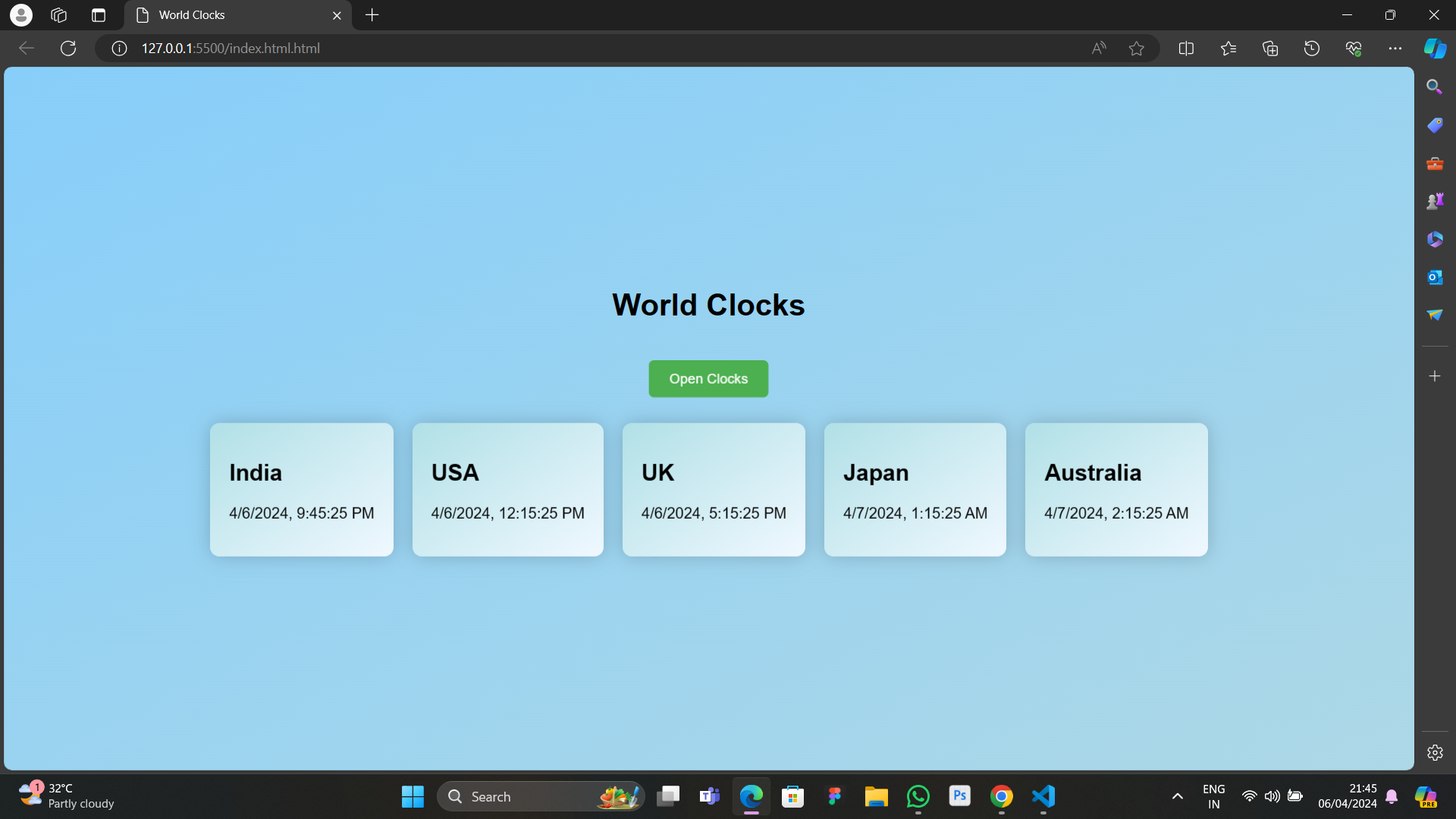
To create a world clock using HTML and JavaScript, you can start by designing the layout of your webpage using HTML, including a container to display the current time. Then, use JavaScript to fetch the current time from the user's device and display it in the designated container. You can achieve this by utilizing the `Date` object in JavaScript to get the current date and time, then updating the content of the container with this information. Additionally, you can add buttons to allow users to view the time in different time zones. When a button is clicked, the JavaScript code can calculate and display the time in the corresponding time zone. This involves converting the current time to the selected time zone using the `getTimezoneOffset()` method and adjusting the displayed time accordingly. Finally, you can style your webpage using CSS to enhance the visual appearance and layout of the world clock..
Portfolio
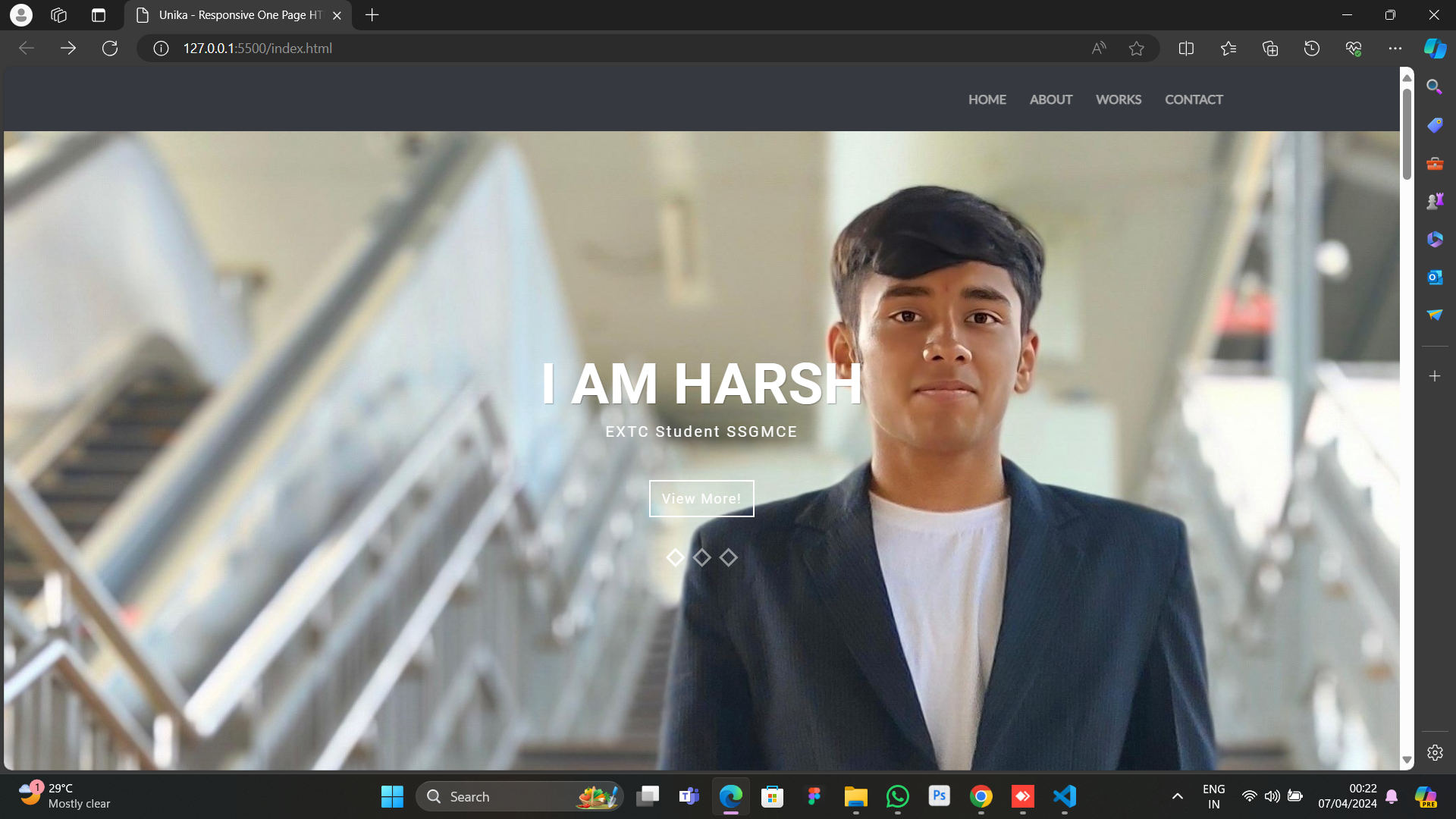
A well-crafted portfolio is an indispensable tool for professionals across various industries. By showcasing your skills, accomplishments, and experiences in a compelling manner, you can effectively differentiate yourself and leave a lasting impression on potential employers or clients. HTML works in conjunction with other technologies like CSS (Cascading Style Sheets) and JavaScript to enhance the visual appeal and interactivity of your portfolio website..